01
A place for every asset.
Organise clients, sites and rooms. Add rooms in a range, move equipment between rooms and find what belongs where.
Your assets, readings, labels and retests in one organised workspace. Built for the work that comes after you pick up the tester.
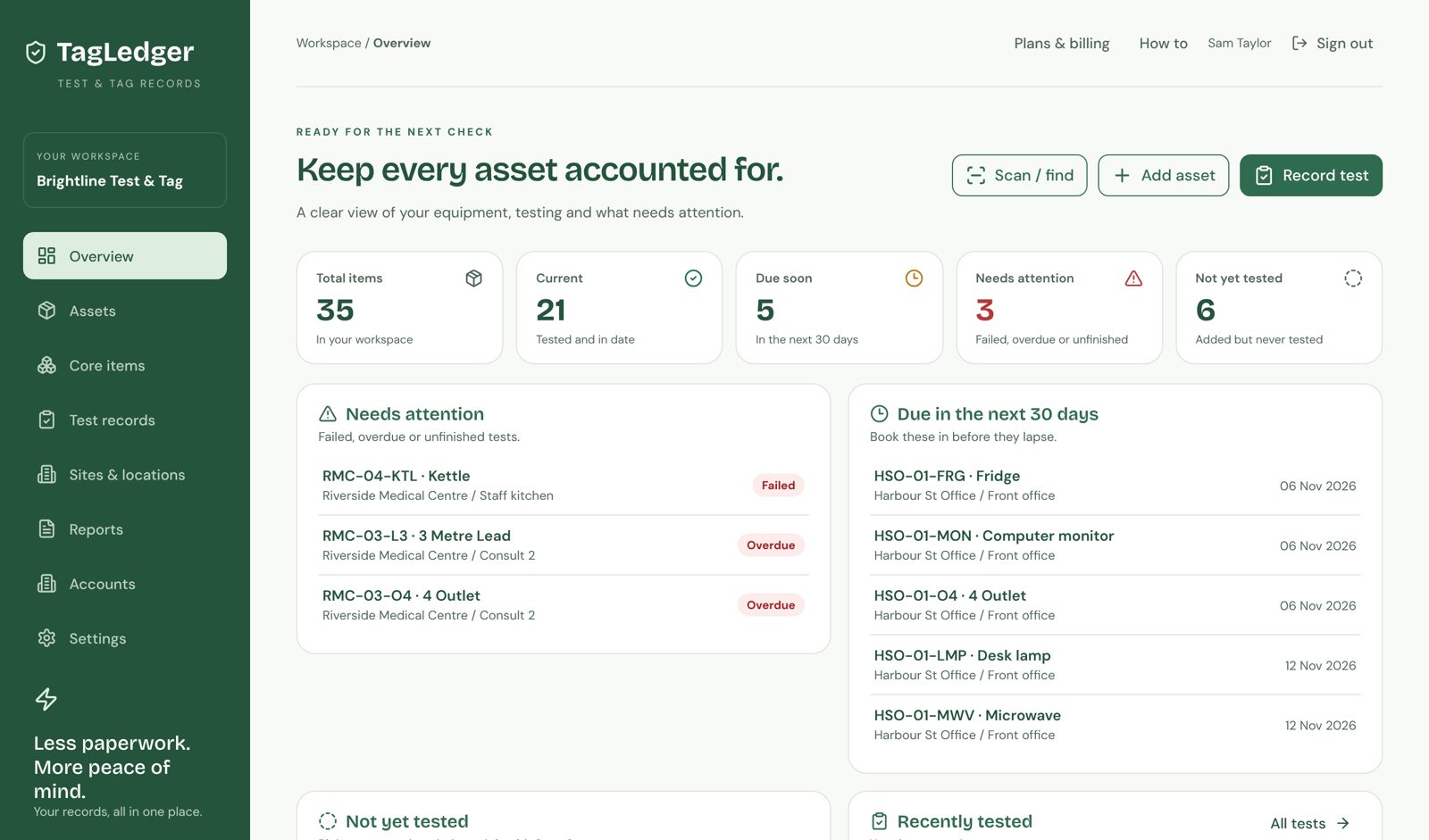
Keep the details you need together, with a workflow that makes sense on the job.
Organise clients, sites and rooms. Add rooms in a range, move equipment between rooms and find what belongs where.
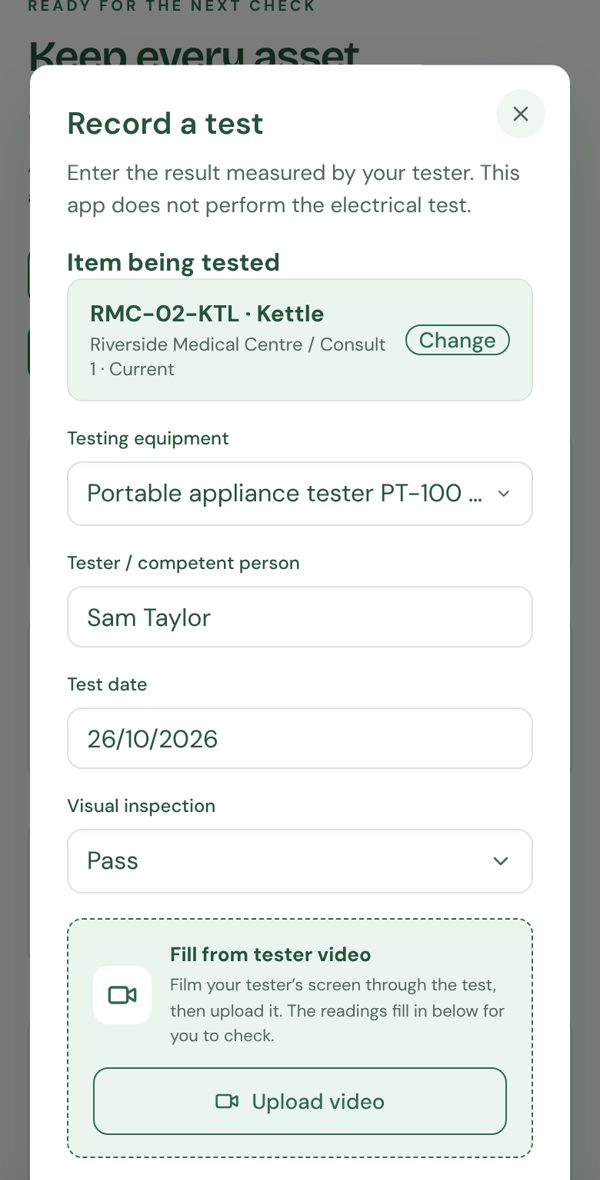
Type in your readings, or film the tester screen and let TagLedger fill them in for you to check. One tap marks the checks you've done as Pass.
Scan an asset’s QR code, open its history and add the next test. Retests create a new record while keeping previous results.
Print 50 × 100 mm thermal labels or eight labels on an A4 sheet. Print from your browser or save the sheet as a PDF.
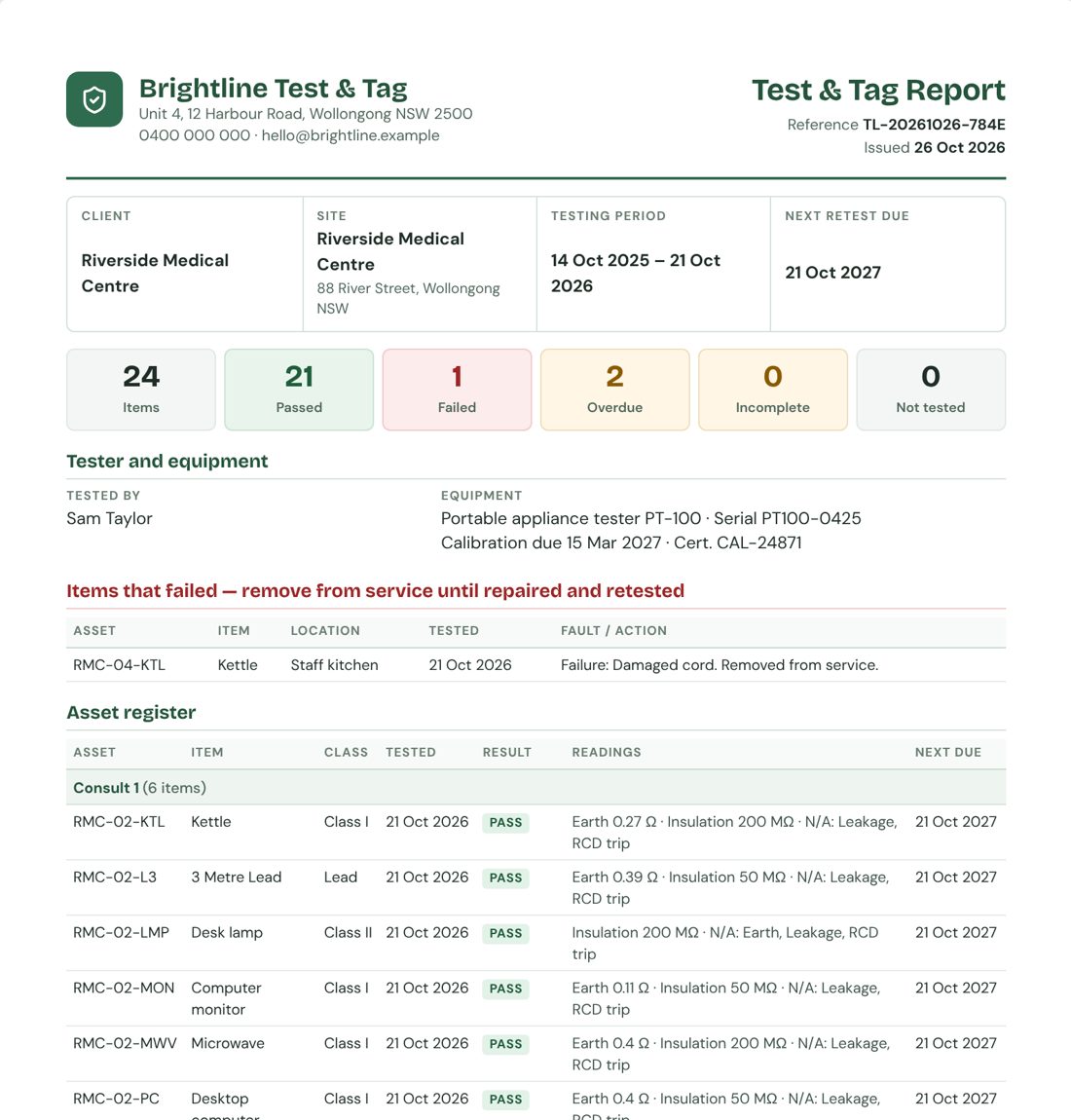
A branded test and tag report with your logo, failed items up top and every reading listed. Save it as a PDF, plus CSV exports and invoices.
Start a free 7-day trial instantly, then manage your own sites, testing equipment and items. No card required.
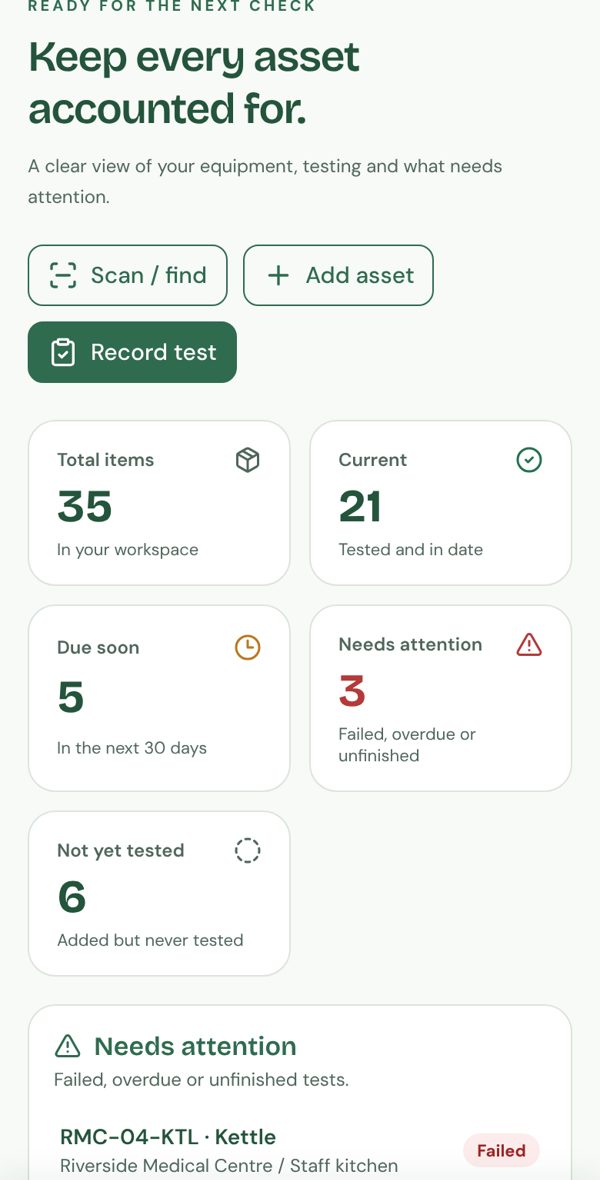
Add your business, tester, sites and rooms. Register assets individually or add common items across rooms.
Enter your measured results, add inspection or repair notes, and print the label that suits your setup.
Scan the QR when it’s time to retest. See the previous records, add the new result and keep the history together.
Record the difference between a failed item, an unfinished test and a check that does not apply. Keep the actual readings and the explanation alongside them.
A few things worth knowingApplicable checks completed and passed.
Record the fault and action taken.
Show what still needs to be done.
Keep the reason with the record.
“I did my test and tag course while running my own business, and the paperwork was the part I dreaded. So I built TagLedger to handle it: scan the item, record the readings, print the label on a portable thermal printer, and the client report is ready before I leave the site. Every feature came from something I needed on the job. If you need something, tell me and I'll look at building it.”
Full access for 7 days with no card required. Set up your business, clients, rooms and items immediately. Choose a plan when you are ready to continue.
Pay for one month at a time.
Start 7-day trialNo card required to begin. Keep your records if you decide not to subscribe.
Two months less than paying monthly.
Start 7-day trialPay later only if you want to continue after your free trial.
Prices in Australian dollars. Full 7-day free trial, no credit card and no setup fee. Afterwards subscribe for A$19/month or A$190/year. Your records stay saved when a trial ends. Stripe securely confirms payments and reactivates your account automatically.
No cable or pairing needed, so it works with the tester you already own. Type the readings in, or film the tester screen and TagLedger reads the results for you to check before saving.
Yes. About once a month you'll get an email listing what's overdue or due in the next 30 days at each site, with a link to that site's report. You can turn it off with one click.
Yes. Keep multiple clients, sites, rooms and assets in your workspace, then filter the register by site or room.
No. You can print eight labels on an A4 sticker sheet, or save the sheet as a PDF. There is also a 50 × 100 mm option for thermal label printing. Check your printer supports the chosen label size.
Record Fail, Incomplete or Not applicable explicitly. These outcomes stay distinct from Pass. Add the fault, action taken or reason in the notes, then record a separate retest when appropriate.
The person performing the inspection and testing determines the method, suitable interval and outcome. TagLedger stores the readings and records; it does not perform the electrical test or replace training.
Start a free 7-day trial now. Set up your business, rooms and items immediately, with no payment details required.
Start my free 7-day trial Already have a workspace? Sign in